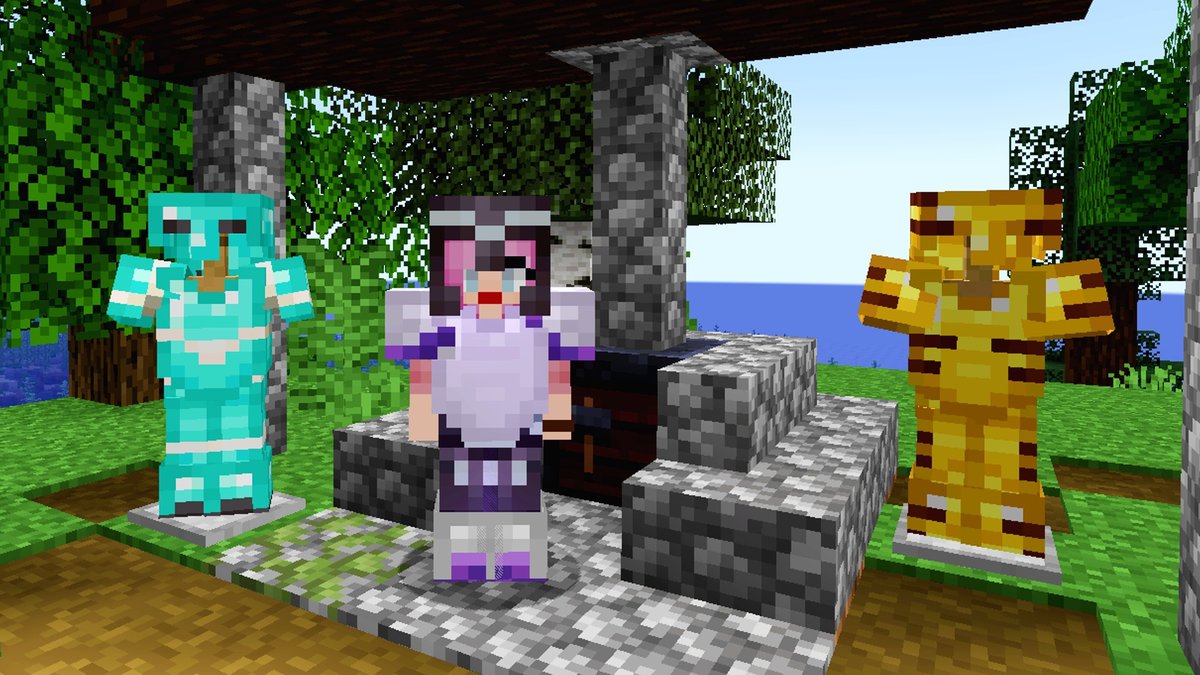
For years, Minecraft players have been crafting, building, and exploring in a world that, while vast and customizable, offered surprisingly little in the way of personal flair for their most essential gear. Your armor was your armor, and beyond dyeing leather, there wasn't much room to express yourself. That all changed with the 1.20 Trails & Tales update, which introduced a game-changing cosmetic feature: Minecraft Armor Trims. These aren't just minor tweaks; they're an entirely new layer of personalization, allowing you to transform your drab protection into a statement of style, accomplishment, and even bragging rights.
But what exactly are armor trims, how do you get them, and more importantly, how do you make them work for your unique look? Dive in, and we'll unravel everything you need to know to become a true Minecraft fashionista.
At a Glance: Key Takeaways for Minecraft Armor Trims
- What they are: Cosmetic patterns you apply to armor, purely for aesthetics. They don't boost protection or stats.
- Introduced in: Minecraft 1.20 (Trails & Tales update).
- How to apply: Use a Smithing Table with an Armor Trim smithing template, an armor piece, and a color material.
- Varieties: 18 distinct trim patterns found in various structures across all three dimensions.
- Colors: 10 different materials (like Amethyst, Gold, Diamond) can color the trims.
- Customization potential: Over a billion unique armor set combinations are possible when factoring in leather armor dyes.
- One-time application: Once an armor piece is trimmed, it cannot be re-trimmed. Each piece must be trimmed individually.
Beyond Basic Protection: What Exactly Are Minecraft Armor Trims?
Imagine finding that perfect diamond chestplate, but wishing it had a little more... oomph. Before 1.20, your options were limited to enchanting it or, if it was leather, dyeing it. Now, with armor trims, you can emboss intricate patterns onto your gear, turning a functional item into a work of art.
At their core, armor trims are purely cosmetic additions. They don't make your armor stronger, increase its durability, or grant any special abilities. Their sole purpose is to add visual flair, allowing you to personalize your character's look like never before. Think of them as high-fantasy fashion statements – a way to show off your exploration prowess, your resourcefulness, and your unique sense of style.
This feature was a significant addition, designed to encourage exploration and provide long-term customization goals. It ties directly into the 'Trails & Tales' theme of discovery and self-expression, making your journey as unique as your gear.
The Anatomy of a Trim: Smithing Templates and Color Materials
To understand how to use armor trims, you first need to grasp the two core components that make them possible: Smithing Templates and Color Materials.
Smithing Templates: The Pattern Masters
These aren't your average crafting recipes. Smithing Templates are a new class of utility items, previously only known for the Netherite Upgrade template. For armor trims, each template holds a specific, unique pattern. When you find one of these, you're not just finding a piece of loot; you're unlocking a design blueprint that can be applied to any piece of armor.
There are 18 distinct Armor Trim smithing templates, and each one is tied to a specific structure or location within your Minecraft world. This means finding them requires genuine exploration and, often, overcoming significant challenges. For example, some are found in the perilous Ancient Cities, while others might be hidden in the depths of an Ocean Monument.
Color Materials: Your Palette for Personalization
Once you have a template, you need to decide on a color. This is where the 10 available color materials come into play. These are common (and some not-so-common) minerals and resources found throughout the game. The material you choose will dictate the color of the trim pattern on your armor.
Your options for coloring materials include:
- Amethyst
- Copper
- Diamond
- Emerald
- Gold
- Iron
- Lapis Lazuli (often just called Lapis)
- Netherite
- Quartz
- Redstone
An interesting detail is that if you use the same material for the trim as the base armor (e.g., a gold trim on gold armor), the trim will appear as a slightly darker shade of that color, offering a subtle, refined look. This depth allows for even more nuanced customization, pushing beyond simple color blocking.
Your Personal Style Guide: All 18 Armor Trims and Where to Find Them
The hunt for armor trims is a significant part of the fun. Each of the 18 templates is a unique discovery, encouraging players to venture into every corner of their world. Below is a comprehensive list of each trim and its specific spawning location. Prepare for adventure!
| Armor Trim Name | Spawning Location | Notes |
|---|---|---|
| Bolt | Trial Chamber | Found in the new combat-focused Trial Chambers. |
| Coast | Shipwreck | Explore sunken ships on ocean floors. |
| Dune | Desert Pyramid | Delve into the sandy traps of desert temples. |
| Eye | Stronghold | Uncover secrets within the structures leading to the End. |
| Flow | Trial Chamber | Another unique trim from the Trial Chambers (22.5% chance). |
| Host | Trail Ruins | Excavate blocks in the new archaeological Trail Ruins. |
| Raiser | Trail Ruins | Another trim requiring careful archeology in Trail Ruins. |
| Rib | Nether Fortress | Brave the Nether's fortresses, beware of Blazes. |
| Sentry | Pillager Outpost | Infiltrate these dangerous towers, often guarded by Golems. |
| Shaper | Trail Ruins | Yet another archeological find from Trail Ruins. |
| Silence | Ancient City | Extremely Rare (1.2% chance). A true challenge to acquire. |
| Snout | Bastion Remnant | Face Piglins in their treacherous strongholds in the Nether. |
| Spire | End City | Conquer the End and loot its soaring cities. |
| Tide | Ocean Monument | Defeat an Elder Guardian to earn this watery pattern. |
| Vex | Woodland Mansion | Brave the perils of these massive, eerie structures. |
| Ward | Ancient City | Found in the deep dark, requiring stealth and bravery. |
| Wayfinder | Trail Ruins | The final trim found through diligent Trail Ruin excavation. |
| Wild | Jungle Temple | Navigate the traps of jungle temples for this untamed design. |
| As you can see, collecting a full set of unique trim templates is a journey in itself, pushing you through every biome and dimension Minecraft has to offer. The rarity of trims like the Silence template from Ancient Cities makes them prized possessions, signaling significant accomplishment to other players. |
Step-by-Step: Applying Armor Trims Like a Pro
Once you've braved the dangers, located your desired trim template, and gathered your coloring materials, the actual application process is surprisingly straightforward. You'll need a fundamental utility block for this: the Smithing Table.
- Craft a Smithing Table: If you don't already have one, combine two iron ingots with four wooden planks (any wood type) in a crafting table.
- Open the Smithing Table: Right-click on your Smithing Table to open its interface.
- Place the Armor Trim Smithing Template: In the leftmost slot of the Smithing Table UI, place your chosen Armor Trim smithing template (e.g., "Dune Armor Trim Smithing Template").
- Place the Armor Piece: In the middle slot, place the specific piece of armor you want to customize (e.g., your Diamond Chestplate). Remember, each piece must be trimmed individually.
- Place the Desired Color Material: In the rightmost slot, place the material you want to use for the trim's color (e.g., a Gold Ingot for a golden trim).
The Smithing Table UI will immediately show a preview of your armor with the trim applied. If you like what you see, simply take the newly trimmed armor piece from the output slot. Congratulations, you've just personalized your gear!
Important Considerations:
- One and Done: Once an armor piece is trimmed, that's it. You cannot apply a different trim pattern to it, nor can you change its color. Choose wisely!
- Per Piece, Per Template: If you want to trim an entire set of armor (helmet, chestplate, leggings, boots) with the same pattern, you'll need four of that specific trim template. Fortunately, you can duplicate smithing templates (more on that below).
- Durability and Enchants: Applying a trim does not affect your armor's durability, enchantments, or any other properties. It's purely visual.
Beyond Trims: Dyeing Leather Armor for Ultimate Customization
While armor trims are a fantastic addition, it's worth remembering that leather armor has its own unique customization option: dyeing. This has been a feature for a long time and offers a different, often complementary, level of personalization.
- How it Works (Java Edition): Combine one leather armor piece with one or more dyes in a crafting table. You can mix multiple dyes to create custom colors.
- How it Works (Bedrock Edition): Fill a cauldron with water, then add your desired dye(s) to color the water. Then, "wash" your leather armor in the colored water. You can also clean dyed leather armor by washing it in plain water.
- Mixing Dyes: The beauty of leather armor dyeing is the ability to combine various dyes to create a truly unique color palette, allowing for incredible depth and personality.
- Exclusivity: Only leather armor can be dyed. Iron, chainmail, gold, diamond, or Netherite armor cannot be dyed, though they can all receive armor trims. This makes leather armor a strong contender for players who prioritize color customization, especially when combined with trims.
Imagine a bright pink dyed leather chestplate with a deep purple Amethyst trim. The possibilities for blending these two customization systems are nearly limitless!
Pro Tips for Aspiring Fashionistas (and Practical Miners)
Now that you understand the mechanics, let's explore some strategies and insights to make the most of armor trims.
1. Duplicating Smithing Templates: Efficiency is Key
Finding multiple copies of rare templates can be a monumental task. Thankfully, you can duplicate any smithing template using a crafting recipe. This is crucial for equipping a full matching set without needing to find four separate templates.
To duplicate a smithing template, you'll need:
- 1 x The original Armor Trim smithing template
- 7 x Diamonds
- 1 x A specific block type associated with the trim (this varies by trim!)
Each trim has a specific "base block" associated with it for duplication. For example, the Rib trim might use Nether Bricks, while the Wild trim might use Mossy Cobblestone. You'll usually find this information in-game by hovering over the template in the crafting menu or through external guides. This small detail adds another layer of resource gathering to the customization process.
2. Plan Your Look: The Fashion Planner's Secret
With 18 patterns and 10 colors, plus the variable base armor colors, the number of combinations is staggering. Before committing precious resources, consider planning your desired look. There are online tools available that allow you to preview various armor trim combinations. For example, you can easily Generate Minecraft armor trims virtually, experimenting with different patterns, colors, and armor types until you find the perfect aesthetic. This saves you from "wasting" a rare template or valuable material on a look you end up disliking.
3. The Rarity Factor: Bragging Rights and Challenges
Some trims are much harder to find than others. The Silence trim from Ancient Cities, with its paltry 1.2% chance, is a testament to perseverance and stealth. Similarly, the Tide trim requires defeating the formidable Elder Guardian. Owning and sporting these rare trims on your armor isn't just about looking good; it's a badge of honor, signaling your achievements to others in multiplayer worlds. Don't underestimate the satisfaction of earning a rare trim!
4. Full Sets vs. Mix-and-Match: Express Your Unique Style
While a full matching set of trimmed armor can look incredibly cohesive and impressive, don't feel limited. Part of the beauty of armor trims is the freedom to mix and match. You could use a "Spire" trim on your chestplate (from an End City) to symbolize your conquest of the End, and a "Ward" trim on your helmet (from an Ancient City) to reflect your deep-dark adventures. Each piece can tell a part of your story, creating a truly unique and personalized ensemble.
5. Consider the Base Armor Material:
The type of armor you trim also impacts the final look. Netherite armor, with its dark, imposing texture, provides a strong contrast for brighter trims like Gold or Copper. Diamond armor's iconic blue pairs beautifully with Lapis or Amethyst. Even plain Iron armor can look incredibly stylish with a well-chosen trim and color, demonstrating that fashion isn't just for the endgame. Experiment with how different base armor colors interact with your chosen trim color for the best visual effect.
Frequently Asked Questions About Armor Trims
Let's address some common questions players have about this exciting new feature.
Q: Do armor trims offer any protective benefits or stats?
A: No. Armor trims are purely cosmetic. They do not increase your armor's defense, durability, or provide any special abilities. They are all about personal expression.
Q: Can I remove an armor trim once it's applied?
A: No, once an armor trim is applied to a piece of armor, it is permanent. You cannot remove it or replace it with a different trim. Choose your trim and color carefully!
Q: Can I trim dyed leather armor?
A: Yes! You can first dye your leather armor to your desired base color, and then apply an armor trim on top of it. This allows for an incredible range of color combinations and unique looks, blending both customization systems.
Q: How many smithing templates do I need for a full armor set?
A: You will need four individual smithing templates for a full set of armor (helmet, chestplate, leggings, boots). You can either find four unique templates or, more practically, duplicate a single template three times using diamonds and its associated base block.
Q: Are armor trims only for certain armor types?
A: No, armor trims can be applied to any type of vanilla armor: Leather, Chainmail, Iron, Gold, Diamond, and Netherite. This ensures that no matter what stage of the game you're in, you can personalize your gear.
Q: Can I use the same material for my trim as my armor?
A: Yes, you can. If you apply, for example, a Diamond trim to Diamond armor, the trim pattern will appear in a slightly darker shade of blue than the armor itself, creating a subtle, cohesive effect.
Your Next Steps to a Stylish Minecraft Journey
Minecraft's armor trims have fundamentally changed how players approach personal expression within the game. No longer confined to generic looks, you now have the tools to tell your story through your gear – to display your triumphs, your favorite biomes, or simply your impeccable taste.
Your journey into the world of armor trimming is one of discovery, challenge, and creativity. So, equip your pickaxe, ready your sword, and start exploring. Whether you're spelunking in an Ancient City for the elusive Silence trim, excavating a Trail Ruin for a Wayfinder pattern, or simply gathering a stack of Iron for a bold new look, the world is your canvas. Go forth and make your mark, one perfectly trimmed armor piece at a time!